.png?width=150&height=53&name=New%20x2VOL%20Logo%20(4).png)
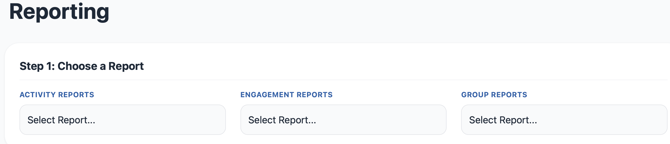
All x2VOL reports are generated in real-time and can be exported to Excel. You can conveniently sort the reports on-screen before exporting them to organize the data as you need.
Activity Reports
1. Activities Report: shows you all activities with their details claimed by students in the selected group(s) and date range.
2. Download Activity Logs: allows you to download the student's activity log in a PDF format.
3. Hours by Opportunity: allows you to see the students and hours associated with the opportunities posted by your school.
Engagement Reports
4. Areas of Interest: shows hours logged towards each of the 5 Areas of Interest.
5. Registered/Unregistered Users: shows student login data
Group Reports
6. All Goals: students' progress towards each non-archived goal within the selected group.
7. Date Range: includes all unique hours that have been logged by the selected students.
8. Group & Goal: includes hours logged towards just the specific Group and Goal selected.