.png?width=150&height=53&name=New%20x2VOL%20Logo%20(4).png)
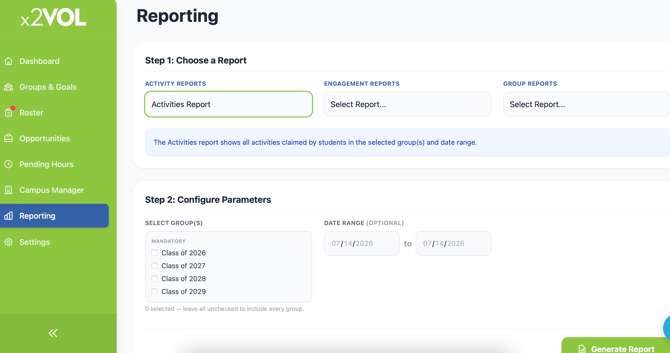
Select the Reporting page on the Dashboard navigation menu.
Select the Activities Report under the Activity Reports section.
Select the groups and date range you wish to include and click the Generate Report button.
Sort the report on screen as you see fit and then export it to Excel.