.png?width=150&height=53&name=New%20x2VOL%20Logo%20(4).png)
1. Admin logs in to x2VOL and select the Group and Goals page on the Dashboard navigation menu.
2. Expand the Group for which you would like to add an Incentive Message for.
2. Expand the Goal for which you would like to add the Incentive Message on. Click the Edit button.
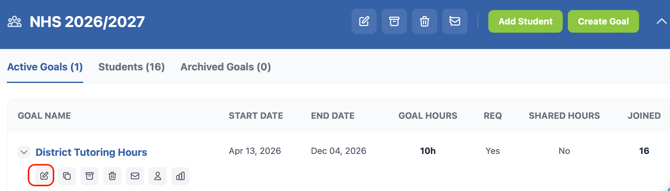
3. Scroll down to the incentive message section. Set the percentage marker that you want the message to display to the student. Create your message. You can include a hyperlink or image in the message to make it extra engaging.
4. You can add multiple messages for each goal. For example, you can set one at 50% and then another at 100% with different messages.
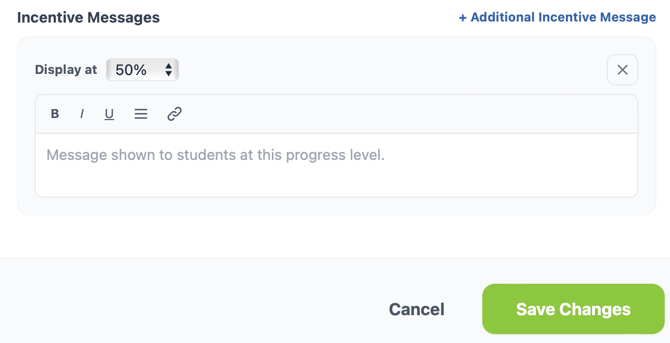
5. Save Changes.
Read our latest blog post to learn why incremental encouragement matters AND get incentive message ideas.