.png?width=150&height=53&name=New%20x2VOL%20Logo%20(4).png)
1. Click on the Groups and Goals page.
2. Check the box to show only unverified group members.

3. Expand the group.
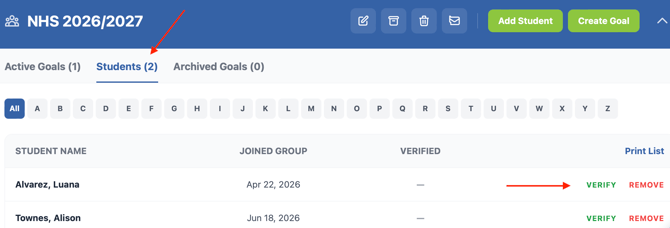
4. Click the Students section.
5. See students pending to verify.
If you want to turn off this feature that requires students to be verified to the group, you can edit the group and turn it off. If you uncheck the verify membership setting to an existing group, it will verify all the pending group members at once when you save that setting.