.png?width=150&height=53&name=New%20x2VOL%20Logo%20(4).png)
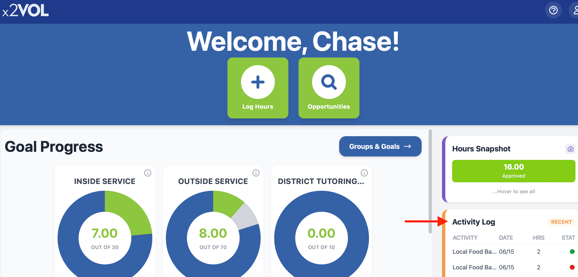
Navigate to the Activity Log tile on the right side of your Dashboard
Click the white Service Log button

Select the blue Order Official Service Transcript or green Print button.

An Official Service Transcript™ is sent directly from x2VOL to the recipient of your choice. The official version includes an embossed seal and letter from x2VOL certifying the authenticity.
This is great for college applications and scholarship applications! Check out this blog post with tips on prepping for college!