.png?width=150&height=53&name=New%20x2VOL%20Logo%20(4).png)
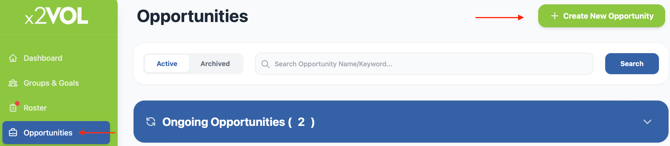
1. Select the Opportunities page from your Dashboard navigation menu, and click the green Create New Opportunity button.
2. Fill out the Opportunity details and decide how you want the opportunity to be displayed. You can display it to all students or a specific group within your x2VOL school account.
3. Schedule it as an on-going or a scheduled opportunity. On-going opportunities will be available within the date range you select and students can add hours to the event during that time. Scheduled opportunities require specific dates and times shift(s) for the opportunity. Multiple dates and time shifts can be added to the opportunity. Students will be prompted to sign up for the specific time and dates, and the school staff will see a signup list for the registered students for each event. There are no sign up lists for on-going opportunities.
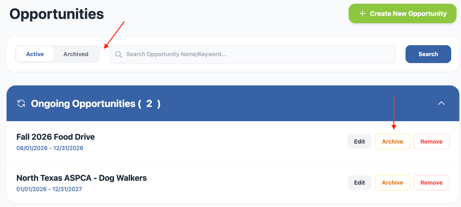
4. **New feature**: School staff users can archive opportunities once they are done with them. They will move to the archive page and can be restored later for use. Archiving opportunities just hides it from the main page to allow for a more organized page for admins organizing opportunities.
See how it looks to create an opportunity, including all the available settings, in the video below: