.png?width=150&height=53&name=New%20x2VOL%20Logo%20(4).png)
Click on the Groups and Goals page on the left side and navigation menu.
Expand the Group which the Goal is under.
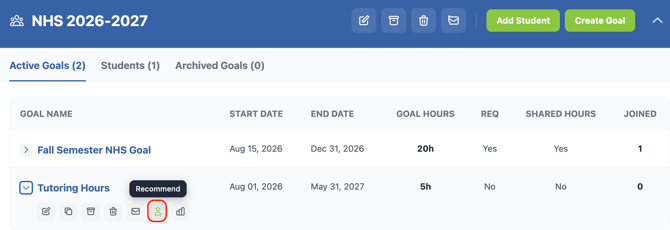
Expand the Goal which you need to add the student to.
Click the Recommend Goal button on that goal to add the student to the goal. It does not notify the student. This will add the student to the goal and no further steps are needed by the student to belong to the goal.